
OpenLogic LabINDEPENDENT SOFTWAREAll products
← All products
YT-DLP Easy logoOPENLOGIC LAB / WINDOWS SOFTWARE
WINDOWS DESKTOP APP VERSION 1.0

YT-DLP Easy

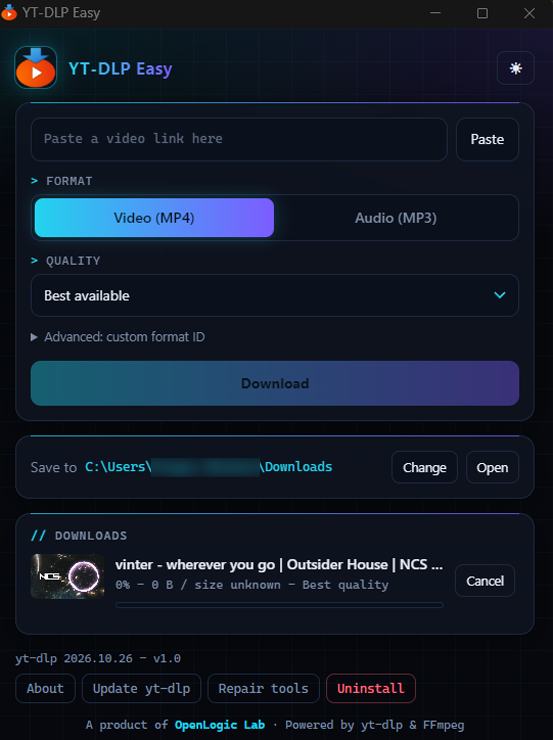
Paste a YouTube video link, choose MP4 video or MP3 audio, set quality and save location, then manage downloads on your Windows desktop.

COMPATIBILITYWindows 10 / 11ARCHITECTURE64-bitINSTALLER17 MB · EXERELEASED31 Oct 2026
Download installer
SHA-256 CHECKSUM4CE1D0AD5DC81E71BECE3AD3577A7CB29A9F267FF49EF3DD3389D3867204AA81Download checksum file ↗

This installer is unsigned. Windows may show a security warning before opening it.
THE COMPLETE FLOW

From setup to finished download.

Select any screen to open the floating preview.

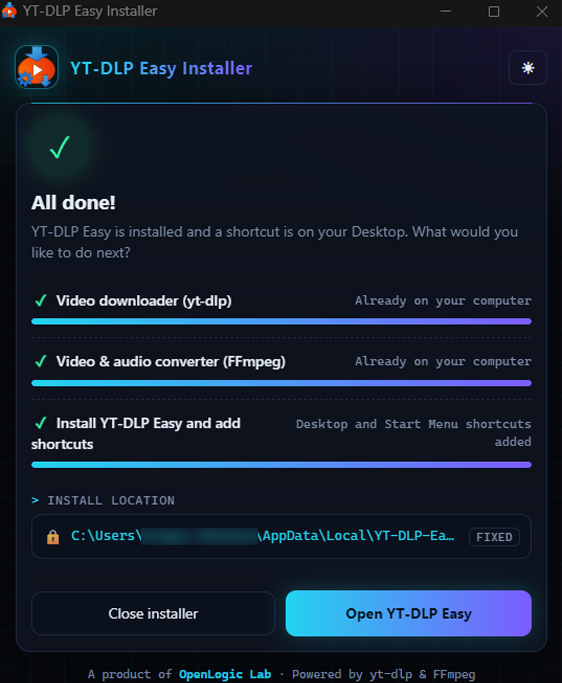
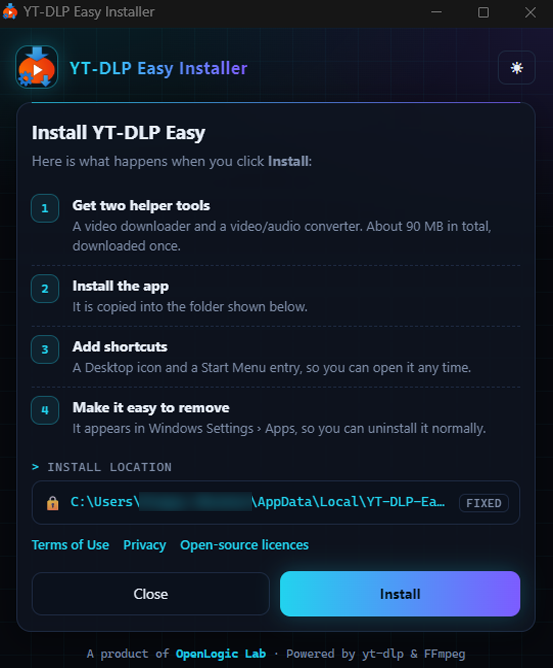
Installer setup screen describing helper tools and install location
Set up the appReview helper tools and installation location.
Installer confirming YT-DLP Easy setup is complete
Installation completeOpen YT-DLP Easy after setup.
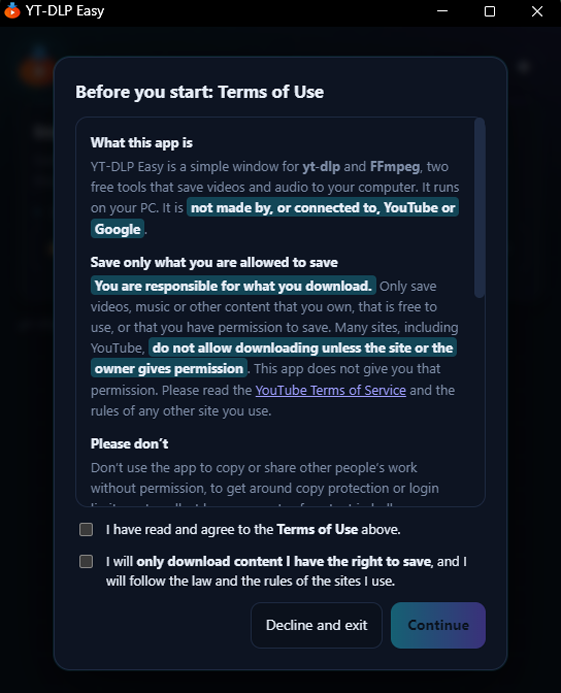
Installer showing the YT-DLP Easy terms before setup
Review the termsRead and accept the app terms before installing.
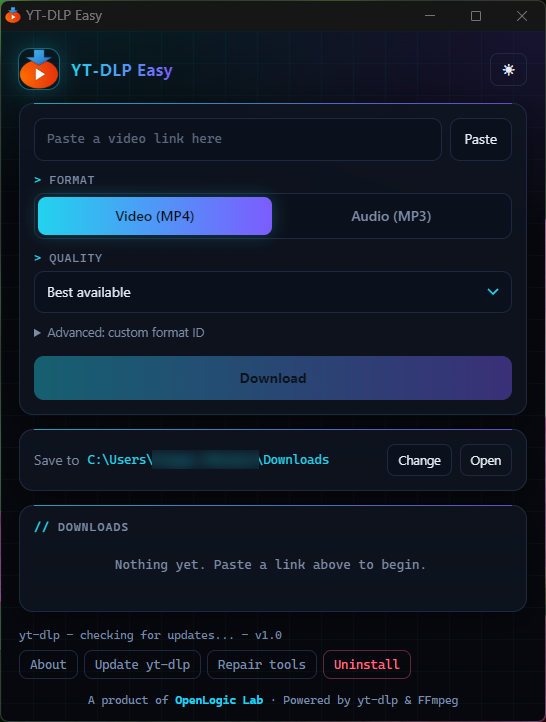
YT-DLP Easy ready for a video link
Start with a linkThe app is ready for a video URL.
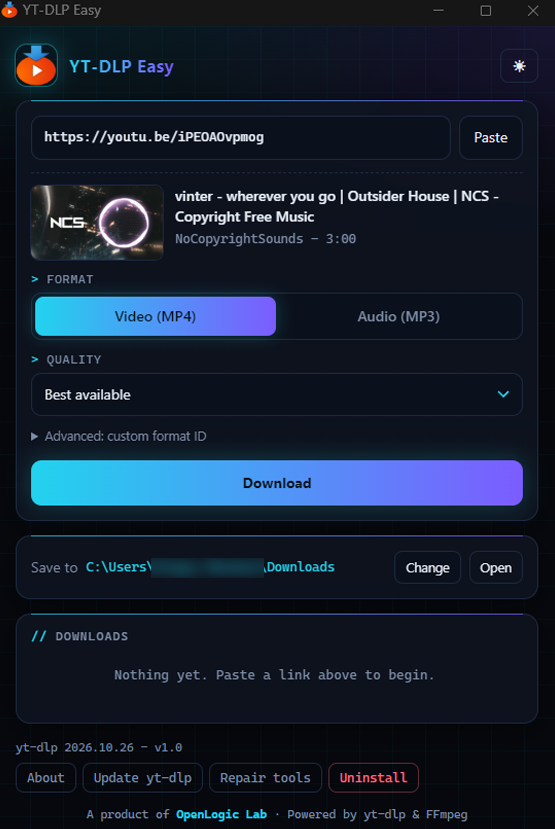
YT-DLP Easy showing detected video details and format choices
Choose your formatReview detected details and choose video or audio.
YT-DLP Easy showing a download in its queue
Follow progressTrack a download in the queue.
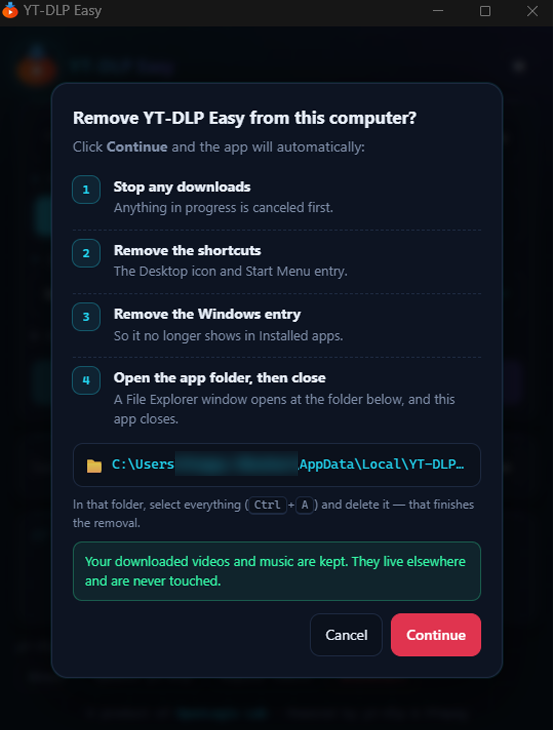
YT-DLP Easy uninstall confirmation and removal steps
Remove it anytimeSee what uninstalling removes and keeps.

LATEST RELEASE · 31 OCT 2026

Version 1.0

Initial release for Windows 10 and 11, with video and audio formats, quality selection, a download queue, and installer setup for yt-dlp and FFmpeg.

Read release notes

HOW IT WORKS

A clear path from link to file.

You choose what to process and where the result is saved.

FIRST-TIME SETUP

Get the helper tools

After you review and accept the app terms, setup or repair downloads yt-dlp from its official GitHub release and FFmpeg from Gyan.dev. It checks each file against the app’s pinned SHA-256 value before installing it.

YOUR CHOICES

Paste and configure

Enter a supported video link, choose Video (MP4) or Audio (MP3), select quality, and choose a destination folder on your PC.

PROCESSING

Download from your PC

The app runs yt-dlp locally. Your PC connects directly to the video site and supporting services; the request does not pass through an OpenLogic Lab server.

FINISH

Follow the job

Watch progress in the queue, cancel an active task, retry a failed one, then open the folder you selected to find the saved file.

PRODUCT DOCUMENTS

About this app

These documents apply to YT-DLP Easy and its components. OpenLogic Lab website terms and privacy are separate.